

Black Horse Excellence

Balance Sheet Automation Tool

The Balance Sheet Automation Tool is an advanced Excel-based solution designed to instantly prepare Balance Sheet, Profit & Loss Account, Trading/Manufacturing Account, and Schedules with just a few clicks.

Fully integrated with Tally ERP 9/Tally Prime, it eliminates repetitive manual work by directly generating reports and financial statements.

The tool also supports seamless integration with CompuTax, Winman, and Spectrum for ITR 3 and ITR 5 formats, ensuring smooth filing and compliance.

Updated as per the latest ICAI Guidance Note (August 2023) for non-corporate entities and LLPs, it delivers accuracy, compliance, and consistency.

By automating grouping, formatting, and consolidation, the tool standardises financials across multiple branches or companies, while minimizing errors and rework. With built-in themes, preventive controls, and columnar reporting, firms can present polished, audit-ready financials quickly and reliably — saving valuable hours for analysis and client service instead of formatting.

BENEFITS

Why Thousands of CAs Trust Black Horse

End-to-End Automation

Eliminates manual work by preparing Balance Sheet, P&L, and Schedules directly from Tally with just a few clicks.

Tax Filing Made Easy

Seamless integration with CompuTax, Winman, and Spectrum ensures smooth ITR 3 & 5 filing.

Regulatory Compliance

Updated as per ICAI’s August 2023 Guidance Note, keeping reports accurate and compliant for LLPs and non-corporate entities.

Branch Consolidation

Consolidates accounts from multiple branches or tally companies into a single, error-free report.

Structured Reporting

Generates columnar Balance Sheets, P&L, and elimination reports for clear, professional presentation.

Time Savings

Auto-grouping and auto page setup minimise repetitive formatting, saving valuable hours.

Consistent Output

Uniform formats and built-in themes ensure polished, standardised financials across all clients.

Error Reduction

Automation reduces risks of formula mistakes and manual inconsistencies, improving accuracy.

KEY FEATURES

Why Thousands of CAs Trust Black Horse

Each feature is thoughtfully crafted to save time and bring efficiency, giving professionals the confidence of standardised, error-free, and presentation-ready reports.

Seamless Integration

Prepare ITR 3 & 5 Balance Sheet, Profit & Loss, and Trading/Manufacturing Accounts, with direct integration to CompuTax, Winman, and Spectrum.

Branch Consolidation

Consolidate accounts across multiple branches or companies effortlessly, ensuring accuracy and consistency.

Columnar & Professional Reporting

Generate columnar Balance Sheets, P&L, and elimination reports for clear and structured financial presentations.

Automated Formatting

Save time with auto-grouping, auto-page setup, and customizable themes that deliver polished, professional outputs instantly.

PDF OVERVIEW

BS-FS-1.0.5-for-Non-Corporate-Entities

PDF OVERVIEW

BS-Financials-Non-corporate

RELATED VIDEOS

Why Thousands of CAs Trust Black Horse

Cash Flow Statement in Schedule 3 Automation Tool

In this video, we have explained step by step, how to prepare Cash Flow Statement in the Schedule 3 Automation Tool.
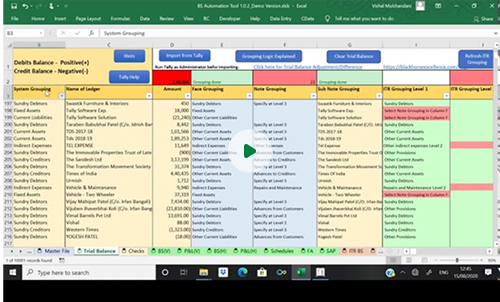
Adjustment to match/tally Trial Balance

This video is about tally adjustment required to be done in trial balance once we import data from tally in Schedule 3 Automation tool and Balance sheet Automation tool.
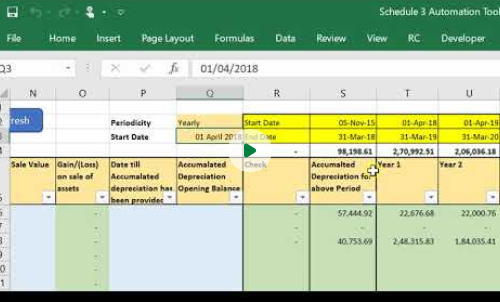
Fixed Assets Register and Depreciation Calculation

This video is on how to fill details in PPE Register of schedule 3 Automation tool.
FAQ’S

Frequently Ask Questions

Discover More About Our Excel-Based Automation Tools You can adjust the tone or visuals to match your website’s style. Let me know if you’d like refined copy or tailored visuals!
What is the Balance Sheet Automation Tool?
Balance Sheet Automation Tool is an excel based tool created to prepare financial statement of Non-Corporate Entities like Individual, Partnership Firm and Limited Liability Partnership Firm As per new ICAI Guidance Note.
Can we calculate Depreciation in Balance Shet Tool?
Yes, in Balance Sheet Automation Tool there are two options available for calculation of depreciation. 1. As per Income Tax Act, 2. As per Accounting Standard 10 (based on Useful life). User can choose either options to provide depreciation.
Can we prepare consolidated financials in this tool?
Yes, there is an option to select Branch Consolidation in the tool, using this option you can prepare consolidated financial statement for multiple Branches or Units and also have a view of branch wise financials.
Can we prepare Trust’s Financial Statement in BS tool?
This depends on the type of trust, if there is no format given in the statue in which trust is registered, then financial statement can be prepared in BS Tool for such trusts.
Does this tool prepare Cash Flow Statement in this tool?
Yes, Cash Flow Statement can be prepared in Automation Tool simply by completing grouping in Trial Balance. In case of MSME entity, Cash Flow need not to be prepared, so it can be disabled in such cases in the tool.
What are the options relating to preparation of ITR 3 & 5?
This tool can also be used in preparation of ITR and our tool is integrated with commonly used ITR software like Computax, Winman, Genius, Smart tax, Saral IT, Spectrum, Cleartax, Easy office etc which eliminates redundance of task relating to grouping, user can import the ITR prepared in our tool in their respective software.
What are options available for formatting the financials?
We have given option to round off entire financials with just one click, you can change font, you can choose from a list different layout and colour options, you can choose to show decimal places. This reduces your time and effort relating to formatting and improves efficiency of audit.
Scroll to Top