

Black Horse Excellence

Schedule 3 Automation Tool

Schedule 3 Automation Tool is built to simplify the preparation of financial statements for Private and Limited Companies in line with Schedule 3 of the Companies Act, 2013 (Division I – Non-Ind AS format).

Integrated with Tally ERP/Tally Prime and compatible with Excel trial balances, it automates much of the grouping, formatting, and disclosure requirements that usually consume hours of manual effort.

With in-built compliance to the latest MCA amendments, preventive controls, and professional presentation layouts, the tool ensures accuracy and consistency in every report.

By removing repetitive formatting and minimising manual adjustments, the tool helps firms deliver standardised, audit-ready financials without the stress of errors or rework.

Over time, it saves significant hours, streamlines collaboration across teams, and enables professionals to shift their focus from formatting and data entry to analysis, strategy, and client service.

BENEFITS

Why Thousands of CAs Trust Black Horse

Standardized Format

Every company’s financials follow a uniform structure, eliminating inconsistencies across clients.

Single Integrated File

Manage financials, depreciation, fixed assets, cash flow, and annexures all in one streamlined file.

Significant Time Savings

From the second year onward, repetitive work is minimised, saving countless resource hours.

Minimal Manual Effort

Automated page setup, formatting, and editing free up time for analysis and strategic work.

Professional Presentation

Choose from theme-based financials that resemble listed company reports for a polished look.

Tally Integration

Seamlessly import trial balances from Tally ERP/Tally Prime with just a click.

Multi-Branch Capability

Import and consolidate multiple trial balances from different branches or companies with ease.

Ready Annexures

Generate department-ready annexures instantly, ensuring smooth scrutiny and compliance.

KEY FEATURES

Why Thousands of CAs Trust Black Horse

Designed with finance professionals in mind, the Schedule 3 Automation Tool offers powerful features that simplify reporting, ensure compliance, and deliver professional results with minimal effort.

Seamless Integration

Import trial balances directly from Tally ERP/Tally Prime or Excel files from any accounting software.

Comprehensive Compliance

Covers all Schedule 3 MCA amendments, regulatory disclosures, depreciation as per Companies Act, and cash flow statements.

Automated Grouping & Formatting

50–70% auto-grouping with built-in rounding, disclosures, and page setup, cutting down hours of manual work.

Consolidation Made Easy

Consolidate accounts of up to 25 companies/branches with columnar Balance Sheets, P&L, and elimination reports.

Comparison Table
Features General Excel File Software Schedule 3 Automation Tool
Standard Format✔️✔️
Import From Tally ERP✔️✔️
Auto–GroupingManual✔️
Perpetual Depreciation Calculator✔️
High Level Of AutomationDepends On UserModerateVery High
Chance Of Formula ErrorsVery HighNAMinimum
Checks SheetManual✔️
Auto Page–Setup✔️
Auto HeadersManual✔️✔️
Change FontManual✔️
Themes✔️
Cash FlowManualManual✔️
User-FriendlyNA✔️
Round Off AdjustmentManual✔️
Time SpentTime Consuming Every YearNAHuge Time Saving From 2nd Year Onwards
For Consolidation
Branch/Company Consolidation✔️✔️
Import Multiple Tally Company✔️✔️
Consolidation✔️✔️
Branch Wise Columnar Financial✔️✔️
Elimination Report✔️✔️
PDF OVERVIEW

Sample-FS_Schedule-3-Tool-for-Companies

RELATED VIDEOS

Why Thousands of CAs Trust Black Horse

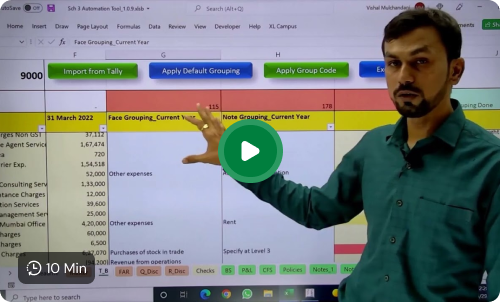
Basics about Schedule 3 Automation Tool

Schedule 3 Automation tool is for preparing Financial Statements for the Private Limited Companies or Limited Companies as per the Schedule 3 of the....
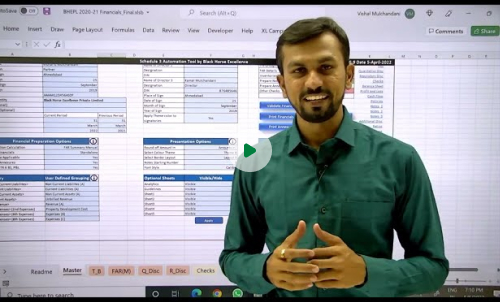
Schedule 3 Automation Tool – Master Sheet

Schedule 3 Automation tool is having many options and features, most of them you can use from Master sheet. In this video, we have....

Schedule 3 Automation Tool – Trail Balance Sheet

In Schedule 3 Automation Tool, entire financial is being generated from Trial Balance. TB is the engine of the tool. In this video, we have explained....
FAQ’S

Frequently Ask Questions

Discover More About Our Excel-Based Automation Tools You can adjust the tone or visuals to match your website’s style. Let me know if you’d like refined copy or tailored visuals!
What is the Schedule 3 Automation Tool?
Schedule 3 Automation Tool is an excel based tool created to prepare financial statement of Corporate Entities (Non Ind AS category) with the objective to reduce manual effort and save time.
Can we prepare Ind AS Financial Statement in the Schedule 3 Automation Tool?
No, Schedule 3 Automation Tool is specifically designed for Non-Ind AS entities.
Can we prepare Ageing of Debtors and Creditors using this tool?

Yes, there is an add on tool, Ageing Automation Tool to prepare Ageing of Debtors and Creditors as per the requirements of Schedule III. This prepares ageing on FIFO basis, hence even if in Tally accounting entries are not done on Bill to Bill basis, this tool prepares ageing for those cases as well.

Can we calculate Deferred Tax in this tool?
Yes, Schedule 3 Automation Tool has feature to calculate deferred tax using Direct and Indirect Approaches i.e. P&L and Balance Sheet approach respectively.
Can consolidation be done in Black Horse Tool?
Yes, we can prepare Consolidated Financial Statement with Black Horse Tool. This feature enables us to prepare Consolidated Financial as well as Entity wise columnar Financial can also be prepared. Further, the tool generates Elimination Report for interbranch or intercompany transactions elimination.
Can we compute Income Tax in this tool?
Yes, there is an option to calculate income tax in the Schedule 3 Automation Tool.
Does this tool calculate depreciation as per the Income Tax Act?
Yes, In Schedule 3 and Balance Sheet tool – FAR tool calculates depreciation as per Income Tax Act.
Does this tool prepare Cash Flow Statement in this tool?
Yes, Cash Flow Statement can be prepared in Automation Tool simply by completing grouping in Trial Balance.
Is there an option to enter depreciation manually?
Yes, in all our tools there is an option which allows you to enter depreciation and fixed asset related details manually as per your own calculations.
Does this tool give output report in PDF or Excel?
Yes, you are able to export financials in PDF as well as Excel format, the excel also comes with links between balance sheet, profit and loss statement and the notes to accounts.
Scroll to Top